Name Font Generator: How It Works and Where You Can Use It
Last tested: Sep 30, 2026
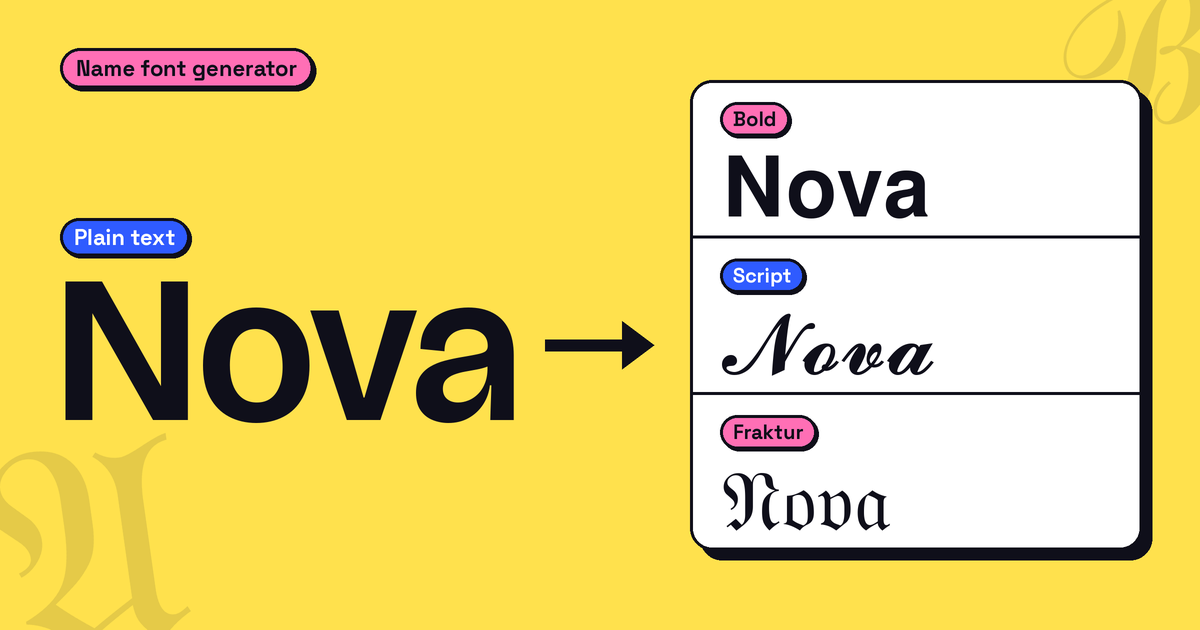
A name font generator swaps the letters of your name for Unicode characters that look like script, bold or gothic type. Nothing is installed, so the result pastes as plain text into most display names and bios.
- Outputs real Unicode characters, not an image or a downloadable font file
- Works in: display names and bios on Instagram, TikTok, Discord and X
- Doesn't work in: username or @handle fields, or in LinkedIn's name field, which filters styled text out
- Free and instant — nothing is installed on your device or theirs, and you can switch back to plain text any time
Type "Maria" into a name font generator and you get 𝓜𝓪𝓻𝓲𝓪 back: still five letters, just different characters. It pastes into an Instagram bio or a Discord nickname like any other text, which is why styled names are everywhere. This guide explains where those characters come from, which platforms accept them, and where they break. You may also see the tool called a font name generator or a name font maker; all three describe the same thing.
What Is a Name Font Generator?
A name font generator converts the letters of your name, from the 26-letter Latin alphabet, into existing Unicode characters that were assigned for other purposes — mainly mathematical notation, plus enclosed letters, phonetic symbols and combining marks — but happen to look like script, bold, gothic, bubble or small-caps lettering. It doesn't create a new typeface. Because these are genuine Unicode characters rather than an image or an embedded font file, they travel as plain text: copy, paste, done.
The Unicode Blocks Behind the Trick
Most cursive, bold, italic and gothic name styles come from the Mathematical Alphanumeric Symbols block (U+1D400–U+1D7FF), introduced specifically to give mathematicians distinct letter styles for notation. A few letters in some styles were never assigned in that block because they already existed in the older Letterlike Symbols block (U+2100–U+214F), so generators pull them from there instead. In Script, that affects eleven letters: B, E, F, H, I, L, M, R and lowercase e, g, o. Gothic (Fraktur) has five (C, H, I, R, Z), Double-Struck has seven (C, H, N, P, Q, R, Z), and Italic has one (lowercase h). Bold Script has none. Because those letters come from a different block, one letter in your name can look slightly different in weight than the rest. That's not a bug in the tool — it's Unicode's own history showing through.
How to Use a Name Font Generator
- Open a name font generator and type your name.
- Scroll through the styles and pick the one that fits where the name will be used.
- Tap or click a style to copy it.
- Paste it into your display name or bio, not the username field.
Can You Use a Styled Name as a Username?
This is where most people get tripped up. A username font generator styles text for the display name people see — not the login handle that identifies your account.
Display Name vs. @Handle
Most major platforms separate these two fields, and only the display name and bio accept styled Unicode:
| Platform | Display Name / Bio | @Handle / Username |
|---|---|---|
| Accepts styled Unicode | Plain letters and numbers only (no styled Unicode) | |
| TikTok | Accepts styled Unicode | Plain letters and numbers only (no styled Unicode) |
| Discord | Accepts styled Unicode | Plain letters and numbers only (no styled Unicode) |
| Accepts styled Unicode (About/status) | Optional usernames are rolling out in phases; check WhatsApp for current rules | |
| X (Twitter) | Accepts styled Unicode in display name | Plain letters and numbers only (no styled Unicode) |
| Blocked — LinkedIn strips non-standard Unicode from the name field | No @handle; the custom profile URL takes plain letters and numbers only |
The pattern holds on Instagram, TikTok, Discord and X. WhatsApp is only now rolling out optional usernames, and LinkedIn is stricter than the rest: it actively filters styled characters out of the name field itself, not just the handle.
Platform rules change often, so check each platform's own help page before relying on this table.
We pasted 𝓜𝓪𝓻𝓲𝓪 into an Instagram bio (Sep 28, 2026), a TikTok bio and a Discord nickname (Sep 30, 2026). All three displayed it as styled text. We did not test X, WhatsApp or LinkedIn, so check each platform's help page for current rules.
Name Font Styles Worth Using
Not every style suits every context. Here's what the most common cool name fonts actually look like and where they read well.
Script and Signature Styles
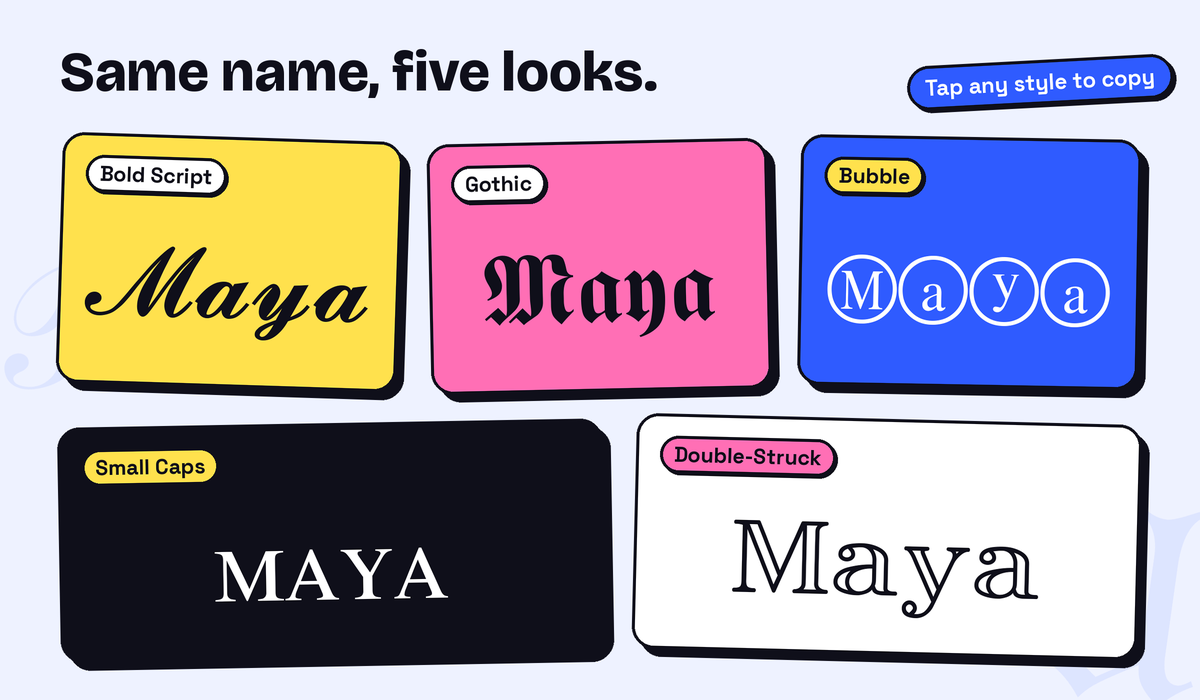
Mathematical Script (𝒜𝓁ℯ𝓍) is the thinnest, most formal-looking cursive option — good for a bio line or an email signature. Bold Script (𝓐𝓵𝓮𝔁) is the same shape with heavier strokes, which survives small display sizes better; thin script can disappear at 12–14px on a phone screen.
Bold, Gothic, and Bubble
Bold Sans (𝗔𝗹𝗲𝘅) reads cleanly at any size and is the easiest all-purpose choice to read. Gothic/Blackletter (𝔄𝔩𝔢𝔵) leans decorative and formal — closer to a diploma than a casual bio. Bubble and circled styles (Ⓐⓛⓔⓧ) are playful but harder to read in long strings.
Italic, Small Caps, Double-Struck, and Zalgo
Italic (𝐴𝑙𝑒𝑥) slants the letters and is the mildest change from plain text. Small Caps (ᴍᴀʀɪᴀ) shows every letter as a small capital, which looks clean and understated. Double-Struck (𝔸𝕝𝕖𝕩) draws letters with doubled outlines and has a technical look. Zalgo stacks combining marks above and below each letter to create a glitchy, distorted effect, and it is the hardest style to read.
Which Style Fits Which Use
| Style | Best for |
|---|---|
| Bold Script | Instagram/TikTok bio signature line |
| Mathematical Script (thin) | Email signature, portfolio header |
| Bold Sans | Gaming display name, Discord nickname |
| Gothic/Blackletter | Formal-aesthetic profile or bio |
| Small Caps | Professional bio where subtlety matters |
| Double-Struck | Minimal, tech-aesthetic display names and bios |
If your name or handle includes numbers, such as a year or a jersey number, the Number Fonts tool can style those digits too. To add decoration beyond the letter styles above, try the Text Decorator.
Why Your Styled Name Shows Up as Boxes, and How to Avoid It
A name font changer sometimes produces boxes (□□□) instead of styled letters when the receiving device — not the tool — doesn't have a font installed that covers that Unicode range.
Why the Boxes Appear
Most styled-name characters live in Unicode's Supplementary Multilingual Plane (codepoints above U+10000). Modern iOS, modern Android, and current desktop browsers ship system fonts covering this range. Older devices and older embedded browsers may not — so the same styled name that looks perfect on your phone can show as empty boxes on a friend's older device.
Choosing Styles for Compatibility
If a name has to display reliably on unknown devices, plain text is the only fully safe option. Bold, Italic, Script, Gothic and Double-Struck all come from the same Unicode block, so any of them can show as boxes on an older device. Test your chosen style on the devices your audience is likely to use. Zalgo is a separate risk: it stacks combining marks on top of letters, which can look cluttered or get cut off even on modern devices.
Checklist: Picking the Right Font for Your Name
- Skip it Usernames and @handles don't accept styled text, so keep them plain. Only display names and bios do.
- Keep it simple For a professional bio (LinkedIn, résumé, work email), avoid decorative styles. LinkedIn strips them anyway, and heavy styling reads as unprofessional elsewhere.
- Go bold For a gaming tag or Discord nickname, Bold Sans holds up well and stands out in a crowded server list. Gothic is more decorative, so check how it looks on a couple of devices first.
- Expect plain If your name has é, ñ, ü or ç, the whole accented character shows in plain text, next to the styled letters around it.
- Test first Older devices may show boxes. Plain text is the safest option, and if you use a style, test it on an older device first.
- Mockup only For anything printed, like a certificate, a tattoo reference or an invitation, treat the styled output as a visual mockup. A designer or artist will still need to redraw it properly.
Where Name Fonts Fall Short
Accented Letters and Non-Latin Scripts
The Latin letters in the Mathematical Alphanumeric Symbols block cover only the 26 basic letters (A–Z, a–z). Names with é, ñ, ü, ç, ß, or ø will show that character in plain roman text next to the styled letters around it — this block has no accented letters, and it covers no Cyrillic, Arabic, or Chinese characters, as you can see in the official Unicode chart for Mathematical Alphanumeric Symbols.
Accessibility and Screen Readers
Many screen readers don't read styled Unicode characters as the letters they resemble. Depending on the screen reader and voice, 𝒜 may be announced by its formal Unicode name ("Mathematical Script Capital A"), read out oddly, or skipped altogether, rather than simply "A." If your styled name is decorative, keep a plain-text version nearby for anyone using assistive technology.
Search and Discoverability
A styled name may not match its plain-text version in search. Some search engines and in-app search tools treat 𝒜𝓁ℯ𝓍 as different from Alex, though behavior varies by platform. For visual branding (a bio, a signature) that's harmless. For anything meant to be found, such as a business name or a username people will search for, the plain-text version should exist somewhere on the page too. On Instagram, for example, the display name is a searchable field, so a plain-text version of your name helps people find you.
FAQs
Is a name font generator free to use?
Yes. Fontnook's name font generator is free to use, with no signup and no limit on how many styled names you generate or copy.
Can I use a styled font as my actual username?
No. Login usernames and @handles are generally restricted to plain ASCII characters (letters, numbers, and on many platforms periods or underscores), so styled text won't work in them. Styled fonts work in display names and bios instead.
Why do some letters in my name not convert the same way as others?
Some styles borrow a handful of letters from an older Unicode block. Script, for example, takes B, E, F, H, I, L, M, R, e, g and o from it, so those letters can look slightly different in weight or style from the rest. This is a Unicode structural quirk, not an error in the tool.
Will a styled name affect how I show up in search?
It can. Some search tools treat styled characters as different from their plain equivalents, so a styled display name may not appear when someone searches your plain name. Behavior varies by platform. For a purely visual bio that's fine, but for anything meant to be found, keep a plain-text version alongside the styled one.
Why does my styled name show up as boxes on someone else's phone?
Their device is missing a font that covers the Unicode range your style uses, which is more likely on older phones and older browsers. If it keeps happening, use plain text for the part of your name that must always display.
Can I get a styled name that looks like real handwriting?
Not exactly — Unicode script styles are uniform and typographic, not hand-drawn. For a genuine handwritten look, you'd need an actual signature font (a TTF/OTF file) or a scanned signature image; a name font generator gets you close for bios and headers, but it's not a substitute for real calligraphy.
What is the best font style for a name?
It depends on where the name will be used. Bold Sans is clear on small screens and works well for gaming names, Script suits a bio or signature line, and Small Caps is subtle enough for a professional bio. The table above matches each style to a use.
Final Thoughts
A name font generator works everywhere instantly, and that same mechanism is why it has real limits: accented letters don't convert, screen readers may read it oddly or skip it, and some platforms (LinkedIn, every login @handle) block it outright. Used where it's suited — a bio, a display name, a signature — it's a fast, free way to make a name stand out. Used everywhere without exception, it starts working against you. Pick the style that matches where the name will actually live, keep a plain-text fallback where accessibility or search matters, and the rest is just copy and paste.